Overview
The Extract Dynamic Variables tool lets your agent capture specific pieces of information a caller provides — like their name, phone number, or appointment preference — and store them as variables that can be referenced throughout the rest of the call.Setup
1
Add the tool
In your agent’s Functions section, select Extract Dynamic Variable from the dropdown.
2
Define each variable
For each variable you want to capture, provide:
3
Update your prompt
Tell the agent when to extract the information:
Supported Data Types
Using Extracted Variables
Once captured, reference variables anywhere in your conversation using{{variable_name}} syntax — in prompts, function parameters, SMS messages, and more.
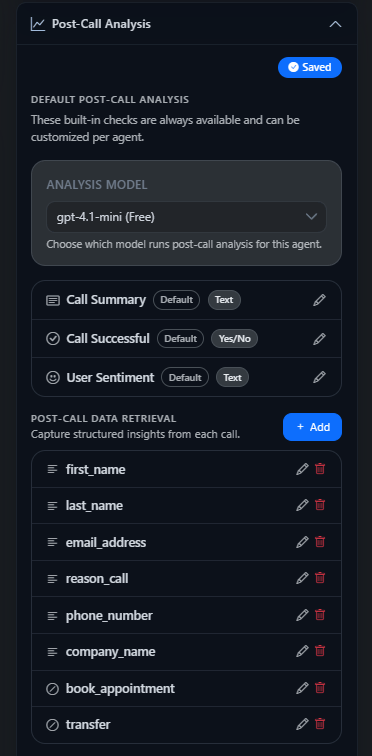
Variables captured during the call also appear in the Post-Call Analysis panel, where you can review extracted data field by field.