
Overview
The Book Calendar tool connects your agent to Cal.com so it can confirm and book appointments in real time after the caller selects a time slot.Setup
1
Create a Cal.com account
Sign up at cal.com if you don’t have one.
2
Configure an event type
In your Cal.com dashboard, set up the event type you want bookings created under.
3
Collect your credentials
4
Add the function in UponAI
In your agent’s Functions section, click + Add and select Book Calendar Appointment.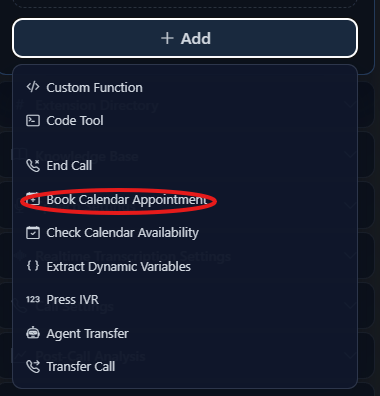
- Tool name
- Cal.com API Key
- Event Type ID
- Tool description
- Timezone (optional)
5
Update your prompt
Tell the agent when to book: